
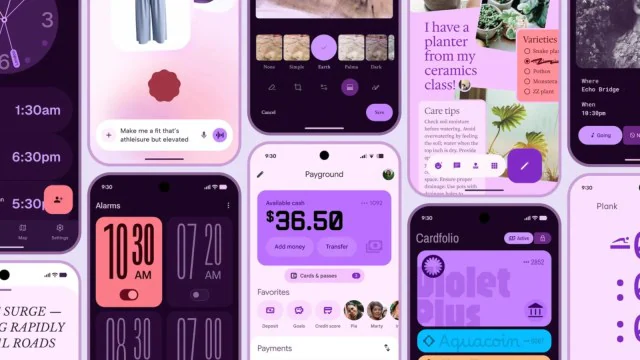
Google's communications team had a rough day. Someone hit publish on the "Android Redesign: Material 3 Expressive" blog post before the official Android 16 announcement, and 9to5Google caught it before it was taken down.
The leaked post is actually pretty interesting - it reveals that Material 3 Expressive went through 46 rounds of design research with over 18,000 participants. That's a lot of user testing for a design system update.
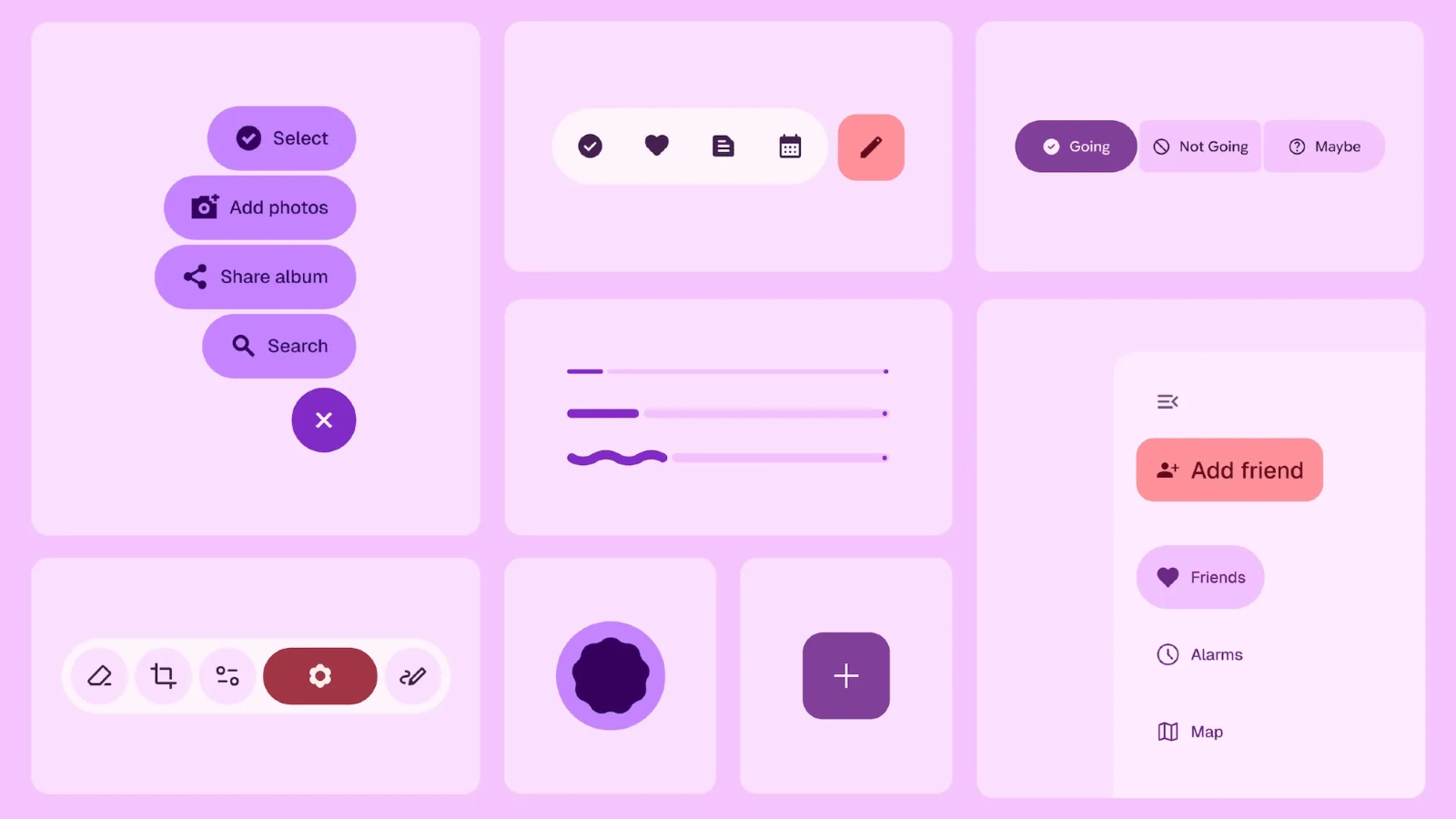
Image Credit: Google
What's Actually Changing
From what the leaked blog revealed, Google is pushing Android's visual design in a more "emotional" direction. Bigger text, rounder corners, more pronounced shadows, and what they're calling "emotion-driven UX."
Translation: things look friendlier and more playful. Whether that's good or bad depends on your taste, but it's definitely different from the more utilitarian look of current Material 3.
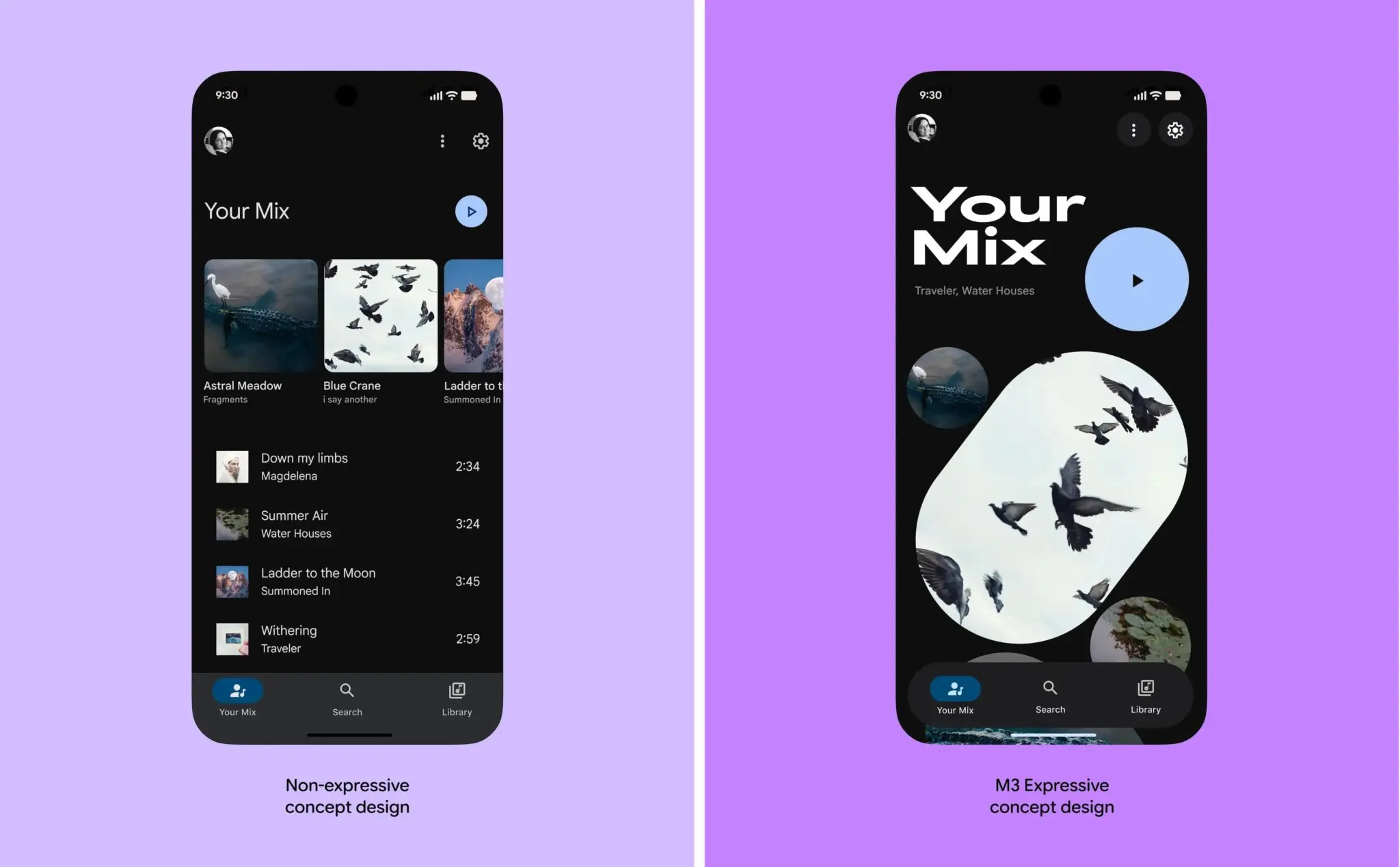
Image Credit: Google
The changes include new widgets, enhanced theming controls, and what sounds like significantly improved customization options. For developers using Jetpack Compose, these components should integrate smoothly with existing Compose code.
One thing worth noting: the full experience will probably only be available on Pixel phones initially. Samsung, OnePlus, Xiaomi - they all have their own design languages layered on top of Android, so how much of Material 3 Expressive makes it to those devices is anyone's guess.
What This Means for Developers
If you're building Android apps, here's what you actually need to know.
The Visual Changes
The core components are getting updated styling:
Buttons - Rounder corners (think 16dp instead of 12dp), more pronounced elevation on press, larger touch targets. If you've hardcoded corner radii, you might want to update them.
Cards - More shadow, rounder corners, generally "softer" appearance.
Typography - Bolder, larger. The display and headline styles are noticeably heavier than before.
Colors - The palette is more vibrant. Dynamic color (pulling from wallpaper) is being pushed even harder.
Updating Your Dependencies
If you want to start experimenting with the new styles:
dependencies {
    implementation("androidx.compose.material3:material3:1.3.0")
    implementation("androidx.compose.material3:material3-window-size-class:1.3.0")
}
Setting Up Themes
Here's a basic theme setup that embraces the new design direction:
@Composable
fun AppTheme(
    darkTheme: Boolean = isSystemInDarkTheme(),
    dynamicColor: Boolean = true,
    content: @Composable () -> Unit
) {
    val colorScheme = when {
        dynamicColor && Build.VERSION.SDK_INT >= Build.VERSION_CODES.S -> {
            val context = LocalContext.current
            if (darkTheme) dynamicDarkColorScheme(context)
            else dynamicLightColorScheme(context)
        }
        darkTheme -> darkColorScheme(
            primary = Color(0xFF6750A4),
            onPrimary = Color(0xFFFFFFFF),
            primaryContainer = Color(0xFFEADDFF),
            onPrimaryContainer = Color(0xFF21005D)
        )
        else -> lightColorScheme(
            primary = Color(0xFF6750A4),
            onPrimary = Color(0xFFFFFFFF),
            primaryContainer = Color(0xFFEADDFF),
            onPrimaryContainer = Color(0xFF21005D)
        )
    }

    MaterialTheme(
        colorScheme = colorScheme,
        typography = AppTypography,
        content = content
    )
}
The Typography Scale
The new typography is bolder. Here's what the scale looks like:
val AppTypography = Typography(
    displayLarge = TextStyle(
        fontSize = 57.sp,
        lineHeight = 64.sp,
        fontWeight = FontWeight.Bold,
        letterSpacing = (-0.25).sp
    ),
    headlineLarge = TextStyle(
        fontSize = 32.sp,
        lineHeight = 40.sp,
        fontWeight = FontWeight.Bold
    ),
    titleLarge = TextStyle(
        fontSize = 22.sp,
        lineHeight = 28.sp,
        fontWeight = FontWeight.SemiBold
    ),
    bodyLarge = TextStyle(
        fontSize = 16.sp,
        lineHeight = 24.sp,
        fontWeight = FontWeight.Normal
    )
)
Component Examples
Here's what "expressive" buttons look like in practice:
@Composable
fun ActionButtons() {
    Column(
        modifier = Modifier.padding(16.dp),
        verticalArrangement = Arrangement.spacedBy(12.dp)
    ) {
        Button(
            onClick = { /* action */ },
            modifier = Modifier.fillMaxWidth(),
            shape = RoundedCornerShape(16.dp),
            elevation = ButtonDefaults.buttonElevation(
                defaultElevation = 4.dp,
                pressedElevation = 8.dp
            )
        ) {
            Icon(Icons.Filled.Favorite, contentDescription = null)
            Spacer(Modifier.width(8.dp))
            Text("Primary Action", fontSize = 16.sp)
        }

        FilledTonalButton(
            onClick = { /* action */ },
            modifier = Modifier.fillMaxWidth(),
            shape = RoundedCornerShape(16.dp)
        ) {
            Text("Secondary Action", fontSize = 16.sp)
        }
    }
}
And an example card with the new styling:
@Composable
fun ContentCard(
    title: String,
    description: String,
    icon: ImageVector,
    onClick: () -> Unit
) {
    Card(
        onClick = onClick,
        modifier = Modifier
            .fillMaxWidth()
            .padding(horizontal = 16.dp),
        shape = RoundedCornerShape(20.dp),
        elevation = CardDefaults.cardElevation(
            defaultElevation = 2.dp,
            pressedElevation = 8.dp
        ),
        colors = CardDefaults.cardColors(
            containerColor = MaterialTheme.colorScheme.surfaceVariant
        )
    ) {
        Row(
            modifier = Modifier
                .padding(20.dp)
                .fillMaxWidth(),
            horizontalArrangement = Arrangement.SpaceBetween,
            verticalAlignment = Alignment.CenterVertically
        ) {
            Column(modifier = Modifier.weight(1f)) {
                Text(
                    text = title,
                    style = MaterialTheme.typography.titleLarge,
                    fontWeight = FontWeight.Bold
                )
                Spacer(modifier = Modifier.height(8.dp))
                Text(
                    text = description,
                    style = MaterialTheme.typography.bodyMedium,
                    color = MaterialTheme.colorScheme.onSurfaceVariant
                )
            }
            Icon(
                imageVector = icon,
                contentDescription = null,
                modifier = Modifier.size(48.dp),
                tint = MaterialTheme.colorScheme.primary
            )
        }
    }
}
Things to Watch For
A few potential gotchas if you're migrating:
Default spacing increased - Some components have moved from 8dp to 12dp default spacing. If your layouts are pixel-perfect, check them.
Touch targets are strictly 48dp - This was always the guideline, but it's being enforced more consistently. Good for accessibility, potentially annoying if you have cramped UIs.
Animations are slower - The default animation durations are slightly longer. Feels more "premium" but also means interactions feel slightly less snappy.
My Take
I'm generally in favor of the direction Google is going here. Material 3 already felt like a big improvement over Material 2, and this pushes it further toward designs that feel less clinical and more human.
That said, the "emotion-driven UX" marketing speak is a bit much. It's rounder corners and bolder text, not a paradigm shift.
If you're building a new app, embrace the new styles from the start. If you have an existing app, there's no rush to update everything - the changes are mostly cosmetic and backward compatible. Update screens as you touch them for other reasons.
For more on Android UI development, check out our guides on Jetpack Compose and ConstraintLayout. And keep an eye on the Android 16 QPR2 release for the official Material 3 Expressive rollout.